Your Phone's New Boss: What AI Assistants Are Quietly Deciding For You
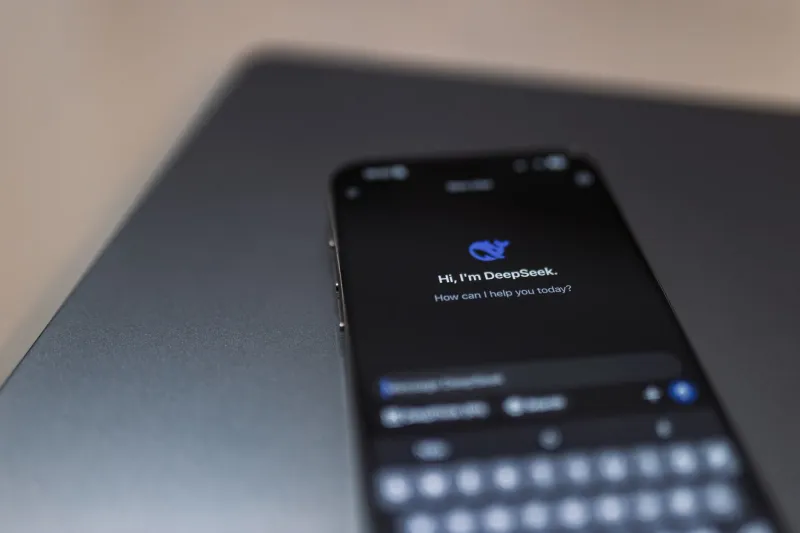
Remember when asking your phone a question felt kind of like a party trick? You'd say "Hey Siri, what's the weather?" and feel mildly impressed when it answered correctly. Those days feel almost quaint now. Today's AI assistants aren't waiting around for you to ask them anything. They're already three steps ahead — learning your schedule, nudging your behavior, and making small but real decisions about how your device operates. And most of us have no idea just how deep that rabbit hole goes.
From Voice Commands to Silent Operators
The shift happened gradually, which is probably why it flew under the radar for so long. Early voice assistants were basically fancy search engines you could talk to. You asked, they answered, end of transaction. But over the last few years, Google Assistant, Siri, and Amazon's Alexa have evolved into something closer to a persistent background process — always running, always observing, always updating their model of who you are and what you're likely to do next.
Google Assistant, for example, now taps into your Gmail, Google Calendar, Maps history, and search activity to build what it calls a "personalized experience." That sounds nice in a press release. In practice, it means the assistant is cross-referencing your dentist appointment, your commute patterns, and the restaurants you've Googled to serve up suggestions before you've consciously decided you want them. Siri does something similar through Apple's on-device intelligence framework, pulling from your contacts, app usage, and location history to surface "proactive" suggestions in your lock screen and search results.
This isn't a bug. It's the whole point. The assistants are designed to anticipate, not just respond.
What Data Are They Actually Collecting?
This is where things get a little uncomfortable. The short answer is: a lot.
Google Assistant operates within Google's broader data ecosystem, which means every interaction — voice query, suggested action you tapped, app shortcut you used — feeds back into your Google account profile. That profile already includes your location history, browsing behavior, YouTube watch time, and purchase activity if you've ever bought anything through Google. The assistant learns from all of it.
Siri is a different story architecturally. Apple has made a genuine push toward on-device processing, meaning a lot of Siri's learning happens locally rather than on Apple's servers. That's a meaningful privacy distinction. But Siri still communicates with Apple's servers for certain requests, and until 2019, Apple contractors were listening to anonymized Siri recordings for quality control — a practice the company paused and later made opt-in after a public backlash.
Alexa sits at the far end of the spectrum. Amazon's assistant is cloud-dependent by design, and every voice interaction is stored on Amazon's servers by default. Alexa also has a documented history of activating unintentionally — mishearing a word as its wake phrase and recording ambient conversation. Amazon lets you review and delete these recordings, but you have to know to go looking for them.
The Autonomous Decision Problem
Here's the part that doesn't get talked about enough: these assistants aren't just collecting data. They're using it to make decisions on your phone without explicit input from you.
Android's Adaptive Battery feature, powered by on-device AI, decides which apps get background processing priority based on your usage patterns. That sounds helpful — and it often is — but it also means an algorithm is determining which apps get to run normally and which ones get throttled. You didn't make that call. The system did.
Google's "Now Playing" feature on Pixel phones continuously listens for music in your environment using an on-device model, identifying songs without you asking. Apple's "Suggested Automations" in the Shortcuts app uses Siri intelligence to recommend workflow automations based on your behavior patterns. These features are genuinely useful. They're also examples of AI systems taking initiative on your device in ways that weren't explicitly invited.
The line between helpful and presumptuous is thin, and it's getting thinner.
How This Shapes What You See and Do
Beyond the technical layer, there's a behavioral dimension worth thinking about. When your assistant consistently surfaces the same coffee shop, the same news sources, or the same contacts, it's not just reflecting your preferences — it's reinforcing them. You're less likely to discover a new spot or reach out to someone you haven't talked to in a while if your phone is constantly steering you toward your established patterns.
This is the feedback loop problem. The assistant learns what you do, promotes more of the same, and gradually narrows the range of choices that feel natural to you. It's subtle. It's not malicious. But it's real, and it's worth being aware of.
Taking Back Some Control (Without Ditching the Convenience)
The good news is you don't have to choose between a useful AI assistant and a phone that respects your autonomy. A few targeted adjustments go a long way.
Audit what your assistant can access. On iPhone, go to Settings > Siri & Search and review which apps are allowed to contribute data to Siri suggestions. Turn off the ones that feel unnecessary. On Android, head to Settings > Google > Manage your Google Account > Data & Privacy to see what's being collected and limit it.
Delete your voice history regularly. For Alexa, open the Alexa app, go to More > Settings > Alexa Privacy > Review Voice History, and set up automatic deletion on a rolling basis. Google lets you do the same through myaccount.google.com under "Data & Privacy."
Turn off proactive suggestions if they bother you. Both Siri and Google Assistant have toggles for proactive or predictive features. You can keep the assistant available for direct queries while dialing back the autonomous suggestions.
Use the assistant less for sensitive stuff. This one's simple but effective. If you wouldn't want a company storing the question, don't ask your voice assistant. Use a private browser for sensitive searches instead.
Check app permissions for assistant integrations. Third-party apps that connect to your assistant (think smart home apps, productivity tools, shopping apps) often share data back with the assistant platform. Review those connections periodically and revoke access for anything you're not actively using.
The Bigger Picture
AI assistants aren't going anywhere — and honestly, at their best, they're genuinely impressive tools. The ability to set a reminder while your hands are full, get a heads-up about traffic before you leave, or have your phone adapt to your schedule without constant manual input? That's the kind of friction reduction that actually improves daily life.
But there's a difference between a tool that works for you and one that operates on you. Right now, a lot of people are on the wrong side of that line without realizing it. The assistants running on your phone have more visibility into your habits, preferences, and daily rhythms than most of your actual friends do.
Knowing that changes how you engage with them. You can still use these features — just use them with your eyes open. Your phone should be working for you, not the other way around.