You're Paying for 5G — Here's How to Actually Use It
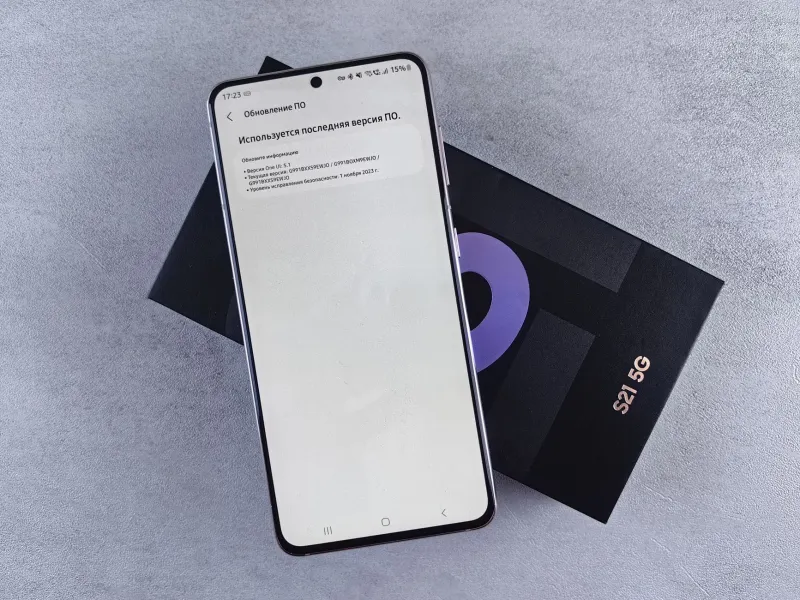
Let's be real for a second. If you've upgraded your phone in the last couple of years, there's a solid chance it's 5G capable. And if you're on a major carrier, your plan probably includes 5G access. But when's the last time you actually checked whether you were connected to a 5G network? Or whether the speeds you're getting are any different from what you had two years ago?
For a lot of people, 5G has been more of a marketing talking point than a daily reality. That's partly the carriers' fault, partly a device issue, and partly just a matter of knowing where to look. Let's fix that.
First, a Quick Reality Check on What 5G Actually Is
Not all 5G is created equal — and this is where a ton of the confusion comes from. There are three distinct flavors of 5G, and they perform very differently.
Low-band 5G operates on frequencies similar to 4G LTE. It covers massive geographic areas and penetrates buildings well, but speed improvements over LTE are often modest — think 20–30% faster on a good day. This is what most rural and suburban Americans are actually connected to when their phone shows that '5G' icon.
Mid-band 5G is the sweet spot. It offers a solid balance of coverage and speed, with real-world downloads often hitting 300–900 Mbps in well-covered areas. T-Mobile has built a significant lead here thanks to its 2.5 GHz spectrum holdings from the Sprint merger.
mmWave 5G is the stuff of tech demos — blistering speeds that can theoretically hit multiple gigabits per second. The catch: it barely travels 1,000 feet and can't pass through walls. You'll find it in dense urban spots like stadiums, airports, and downtown corridors in major cities. It's impressive when you're standing in the right spot. Everywhere else, it's irrelevant.
Which US Carriers Are Actually Delivering?
The carrier landscape has shifted considerably over the past two years, and where you stand depends a lot on where you live.
T-Mobile currently leads on mid-band 5G coverage by a meaningful margin. Its nationwide 5G footprint is the largest, and in most major metro areas, you'll find genuine mid-band speeds that actually feel different from LTE. For most consumers, T-Mobile is the strongest 5G performer right now.
Verizon spent years going all-in on mmWave, which turned out to be a limited play. They've since pivoted hard to mid-band (C-band) deployment and have made real progress in cities like Boston, Chicago, and Dallas. Verizon's 5G experience is improving fast, though it still trails T-Mobile in raw coverage footprint.
AT&T has been the most conservative of the three in its 5G rollout messaging. Its mid-band (C-band) deployment is ongoing, and in covered areas speeds are competitive. But nationwide, AT&T's 5G coverage story is the least compelling of the three big carriers at the moment.
Regional carriers like US Cellular and C Spire offer 5G in select markets, but coverage is patchy and device compatibility can be a headache.
How to Check If You're Actually on 5G (Not Just the Icon)
Here's something most people don't know: your phone showing a '5G' label in the status bar doesn't mean you're getting 5G speeds. It might mean you're on the network's 5G infrastructure but not receiving a meaningful speed boost.
To get a real sense of what you're getting, run a speed test using Speedtest by Ookla or Fast.com. Do it in a few different spots — inside your home, outside, near a busy intersection, at your workplace. Compare those numbers to what you got on the same device six months ago if you have old results saved.
For checking coverage before you commit to a plan or travel to a new area, each carrier's website has an interactive coverage map. T-Mobile's is the most granular, letting you filter by low-band, mid-band, and mmWave separately. That distinction matters more than the overall colored blob on the map.
Which Phones Are Actually 5G-Ready?
Most mid-range and flagship phones released since 2021 support 5G, but there are nuances worth knowing.
iPhones: Every iPhone from the 12 series onward supports 5G. However, mmWave 5G is only supported on certain US models — if you bought your iPhone internationally or through some third-party sellers, you might have a non-mmWave variant.
Samsung Galaxy: The S21 through S25 series all support 5G, including mmWave on flagship models. The A-series (like the A54 and A35) supports sub-6 GHz 5G but not mmWave — which, again, is fine for most people.
Google Pixel: The Pixel 6 onward supports 5G. The Pixel 8a and 9 series are solid mid-band performers and punch above their price point for connectivity.
Budget picks: Phones like the Motorola Moto G 5G series and the Samsung Galaxy A35 bring 5G capability to the under-$400 range. They're not going to max out a mmWave connection, but for everyday mid-band use, they work well.
Tips for Getting the Most Out of Your 5G Connection
Once you've confirmed you're in a real 5G coverage zone with a compatible device, a few tweaks can help you make the most of it.
Force your phone to prefer 5G. On Android, go to Settings → Network & Internet → SIMs → Preferred network type and select '5G.' Some phones default to LTE to save battery. On iPhone, Settings → Cellular → Cellular Data Options → Voice & Data → 5G On.
Watch your battery usage. 5G radios consume more power than LTE, especially mmWave. If you're not in a strong 5G zone, your phone is working harder to maintain a weaker connection. '5G Auto' mode on iPhones is actually a smart setting — it switches to 5G only when it'll make a real difference.
Update your carrier settings. This one gets overlooked constantly. Go to Settings → General → About on iPhone (it'll prompt you if an update is available) or check for carrier updates in your Android settings. These updates often include network optimizations that improve 5G performance.
Position matters more than you think. In urban areas with mid-band or mmWave deployment, moving 50 feet can genuinely change your speeds. If you're in a known 5G zone and getting LTE-level speeds, try stepping outside or moving to a different spot.
When Does 5G Actually Matter?
Honestly? For most day-to-day tasks — social media, email, streaming music — you won't notice the difference between solid 4G LTE and low-band 5G. The gap becomes real in a few specific scenarios:
- Downloading large files or apps (a 2GB game update is a very different experience at 600 Mbps vs. 50 Mbps)
- Crowded venues like concerts, sporting events, or conventions where everyone's fighting for the same bandwidth
- Video calls and cloud gaming where latency and sustained throughput matter more than peak download speed
- Mobile hotspot use — tethering a laptop to a mid-band 5G connection is genuinely impressive
For everything else, manage your expectations. 5G is real and it's getting better, but it's not magic — and pretending otherwise is how the hype train derails.
The Bottom Line
5G in the US in 2025 is no longer just a promise. In many cities and suburbs, it's a functional, meaningful upgrade — if you're on the right carrier, in the right area, with the right device settings. Take 10 minutes to run a speed test, check your network settings, and look at your carrier's detailed coverage map. You might find you've been leaving serious speed on the table this whole time.