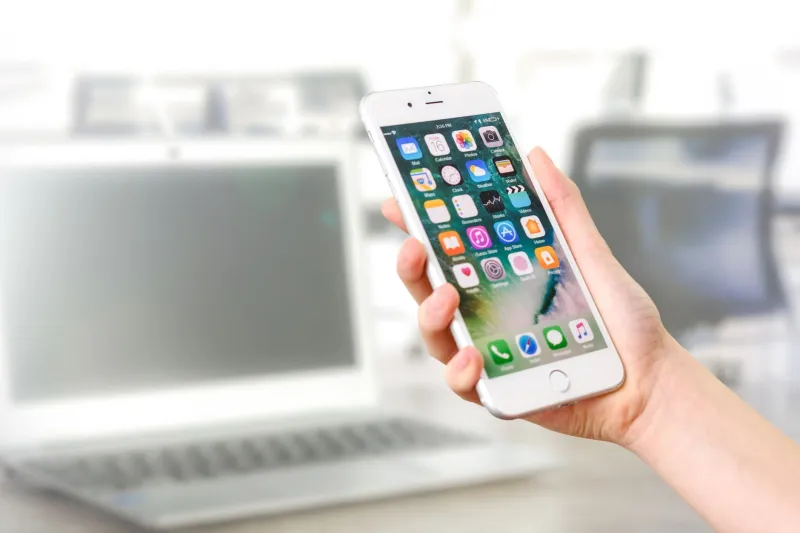
Two Years In, Your Phone Feels Broken — But Here's What's Really Going On
At some point — usually right around when your carrier starts sending upgrade offers — your phone starts feeling like it's running through mud. Apps take a beat longer to open. The camera hesitates before snapping. Scrolling isn't as buttery as it used to be. You start wondering if the company that made it is doing this on purpose.
Spoiler: it's complicated. The full story involves software decisions, hardware chemistry, and a few myths that have taken on a life of their own. Let's break it all down.
The Battery Is Almost Always the Real Villain
If your phone feels slower than it did on day one, the single most likely explanation isn't a conspiracy — it's lithium-ion chemistry doing exactly what physics says it should do.
Every charge cycle slightly degrades a battery's ability to hold a full charge. After 500 cycles (roughly two years of daily use for most people), a battery that started at 100% capacity might be sitting around 80%. That sounds manageable until you realize what your phone does with that information.
Both Apple and Google have confirmed that their operating systems throttle CPU performance when battery health dips below certain thresholds. The idea is to prevent unexpected shutdowns — a phone with a weak battery can't deliver the sudden power spikes a processor needs at full speed. So the system quietly caps performance to match what the battery can actually supply.
Apple caught serious heat for this back in 2017 when the practice came to light without user notification. They've since added battery health indicators in Settings and let users control throttling manually. Android phones handle it differently depending on the manufacturer, but the underlying principle is the same across the board.
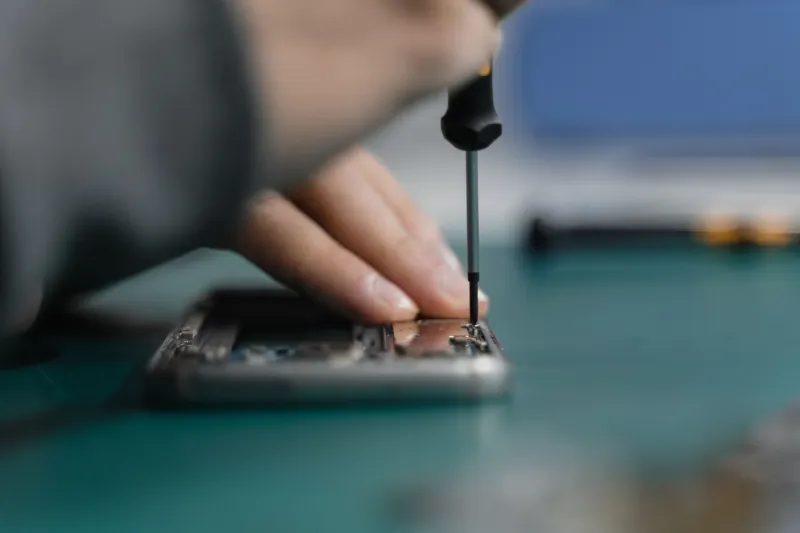
The fix here is genuinely simple: replace the battery. A fresh battery in a two-year-old phone often restores performance that feels indistinguishable from new. Apple charges around $99 for an out-of-warranty replacement. Third-party repair shops — including iFixit-certified locations — frequently do it for less. For Android users, prices vary by model, but it's almost always cheaper than a new device.
Software Bloat Is Real, But It's Not a Conspiracy
Here's where the planned obsolescence argument gets more nuanced. Newer versions of iOS and Android are written with newer hardware in mind. They add features, background processes, and visual effects that older chips handle less gracefully. That's not malicious — it's just the nature of software development.
But it does mean that updating your operating system on a three-year-old phone can sometimes make things worse before they get better. Manufacturers typically optimize new OS releases for their current hardware lineup. Your older device gets the update, but not necessarily the performance tuning that comes alongside it on newer models.
Mark Torres, a mobile repair technician at a shop in Austin, Texas, puts it bluntly: "Most people don't realize that a software update is basically asking old hardware to do new tricks. Sometimes it works great. Sometimes the phone just isn't built for it."
What you can do: dig into your settings and turn off features you don't use. Background app refresh, animated wallpapers, always-on display options, and automatic app updates all chew through processing power and battery simultaneously. On both iOS and Android, you can also reset your phone's settings (not a full factory reset — just the preferences) which clears out configuration clutter that accumulates over time.
Storage Is Quietly Strangling Your Phone
This one surprises people. When your internal storage gets close to full — generally past the 80-85% mark — your phone's read/write speeds drop noticeably. The operating system needs free space to create temporary files, manage app data, and run background tasks. When that space disappears, everything slows down.
The fix isn't glamorous: delete stuff. Go through your camera roll and offload photos to Google Photos or iCloud. Audit your apps — the ones you haven't touched in six months are probably not worth the space they're occupying. Clear app caches regularly, especially for heavy hitters like Spotify, Instagram, and mapping apps, which can balloon to several gigabytes over time.
On Android, the built-in Files app from Google does a solid job of identifying junk files and duplicate photos. On iPhone, Settings > General > iPhone Storage shows you exactly which apps are hogging the most room and offers offloading options for apps you use infrequently.
The Hardware Ceiling Is Real — But Further Away Than You Think
Eventually, yes, hardware becomes the limiting factor. A chip from 2020 will struggle with certain tasks that a 2024 chip handles without breaking a sweat. But for most everyday smartphone use — messaging, social media, streaming, navigation — the gap between a two-year-old flagship and a current one is far less dramatic than manufacturers want you to believe.
Where you'll genuinely feel the difference is in camera processing (computational photography has advanced rapidly), augmented reality applications, and AI-driven features that rely on dedicated neural processing units. If those things matter to you, an upgrade makes sense. If you mostly use your phone to text, browse, and take occasional photos, your existing hardware is probably fine.
A Practical Reset Plan for Your Current Phone
Before you spend $800-$1,200 on a new device, run through this checklist:
-
Check battery health. On iPhone: Settings > Battery > Battery Health & Charging. On Android: varies by manufacturer, but third-party apps like AccuBattery give you a reliable read. If you're under 80%, get the battery replaced.
-
Free up storage. Get below 75% capacity and keep it there.
-
Audit background processes. Turn off background refresh for apps that don't need it. Disable location access for apps that only need it occasionally.
-
Clear cached data. On Android, you can do this per-app in Settings. On iPhone, offloading and reinstalling an app achieves the same result.
-
Consider a factory reset. It's the nuclear option, but a clean install of the operating system — with only the apps you actually use reinstalled — can make an older phone feel dramatically faster. Back everything up first.
The Upgrade Conversation, Honestly
Look, carriers and manufacturers have a financial interest in you buying a new phone every two years. That's not a secret. But the idea that your device is secretly being sabotaged to force your hand is mostly myth — the real culprits are chemistry, software evolution, and storage management.
With a battery swap and some maintenance habits, most phones have a genuine three-to-four-year lifespan without feeling painful to use. That's real money staying in your pocket — and a lot less electronic waste heading to a landfill.
Your phone probably isn't broken. It just needs a little attention.