Buried in Your Settings: The Emergency Tools on Your Phone That Could Actually Save Your Life
We spend a lot of time around here calling out the ways your phone works against you — the sneaky permissions, the battery-draining background processes, the dark patterns designed to keep you scrolling at 1 a.m. So when smartphone manufacturers actually get something right, something that could genuinely matter in the worst moments of your life, it feels worth stopping to talk about it.
Here's the uncomfortable irony: the same devices engineered to hijack your attention are also carrying around a suite of emergency tools that most Americans have never touched, enabled, or even stumbled across. We're not talking about niche third-party apps. These features are baked right into iOS and Android — sitting quietly in your settings menu while you scroll past them every single day.
Let's change that.
The Crash Detection Nobody's Talking About
Starting with the iPhone 14 lineup and certain Pixel models, your phone now has the ability to detect when you've been in a serious car accident. Using a combination of the accelerometer, gyroscope, microphone, and barometer, the device can sense the rapid deceleration, the loud impact, and the sudden pressure changes that typically accompany a collision.
If it thinks you've crashed, it alerts you. If you don't respond within a few seconds, it calls 911 and shares your location automatically.
Let that sink in for a second. Your phone can call for help when you physically can't.
This isn't a gimmick. Early real-world reports have documented cases where the feature triggered during genuine accidents and connected unconscious drivers with emergency services. It's also triggered falsely — roller coasters and ski runs have set it off — but the engineering behind it is legitimately impressive, and the stakes of a false positive are a lot lower than the stakes of no alert at all.
To check if it's active on your iPhone, go to Settings > Emergency SOS and look for the crash detection toggle. On Pixel phones running Android 12 or later, it lives under Safety > Car Crash Detection. Go find it right now. Seriously.
Emergency SOS: More Powerful Than You Think
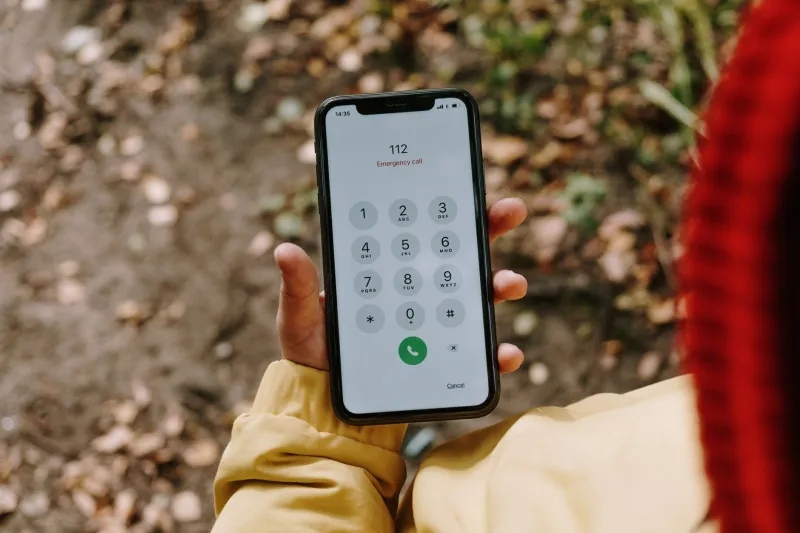
Most people have accidentally triggered Emergency SOS at least once — usually by fumbling with the side buttons and suddenly hearing a countdown alarm. What most people don't realize is that this feature is incredibly configurable and genuinely useful if you set it up intentionally.
On iPhones, holding the side button and a volume button simultaneously starts a countdown to call 911 and sends your location to your emergency contacts. You can also set it to trigger by pressing the side button five times rapidly. On Android, it varies by manufacturer, but most modern devices support a similar rapid-press activation through the Safety & Emergency settings.
The key thing most users skip? Setting up your emergency contacts. The feature is dramatically more useful when it knows who to text and where to send your location. On iPhone, that's managed through the Health app under Medical ID. On Android, it's usually under Settings > Safety & Emergency > Emergency contacts.
Five minutes of setup could make all the difference if you're ever in a situation where you can't speak.
Your Medical ID: A Digital First Responder Card
Here's one that emergency services personnel genuinely rely on — and that the vast majority of smartphone users have left completely blank.
Both iOS and Android let you store critical medical information that's accessible from your lock screen without a passcode. Blood type, allergies, medications, chronic conditions, organ donor status — all of it can be stored and retrieved by a paramedic or ER nurse even if your phone is locked and you're unconscious.
On iPhone, open the Health app, tap your profile photo, and select Medical ID. On Android (specifically Pixels and most Samsung devices), look for Medical Info under your Emergency settings or in the Digital Wellbeing section.
If you have a serious allergy, take medications that interact badly with common treatments, or have a condition like epilepsy or diabetes, this feature isn't optional — it's something you should have filled out yesterday. First responders are trained to look for it.
Satellite Connectivity: When There's No Signal at All
Apple introduced Emergency SOS via Satellite with the iPhone 14, and it's one of the most underappreciated features in the history of consumer smartphones. If you're hiking in the Rockies, stranded on a rural highway, or caught in a situation where there's no cellular signal whatsoever, your phone can still reach emergency services via satellite.
The process is slower than a regular call — you're texting, essentially, through a relay system — but it works in genuine dead zones across the contiguous US and parts of Alaska. Apple has provided it free for two years after activation. Google has been rolling out a similar capability for Pixel devices through its partnership with Qualcomm and satellite providers.
This isn't a feature for most emergencies. But for the specific scenario where nothing else works, it could be the only option you have.
So Why Is All of This Hidden?
This is where we have to ask the uncomfortable question. If these features are this valuable, why does the average iPhone or Android user have no idea they exist?
Part of it is the nature of settings menus — they're not exactly prime real estate for discoverability. But manufacturers also haven't pushed these features the way they push, say, a new camera mode or a redesigned emoji keyboard. Emergency SOS doesn't move units. It doesn't generate app store revenue. It doesn't keep you engaged.
Apple and Google have both run some awareness campaigns, particularly around crash detection, but nothing close to the marketing muscle behind new AI features or subscription services. The cynical read is that safety tools don't fit neatly into a product launch narrative unless they're brand new. Once they're a year old, they quietly fade into the settings menu and stay there.
That's a failure worth naming — even while giving credit for building the features in the first place.
What You Should Do Right Now
You don't need a new phone or a new app. Everything described here is already on your device, waiting. Here's your quick checklist:
- Enable crash detection if your device supports it
- Configure Emergency SOS and set your rapid-trigger preference
- Add emergency contacts so your location goes somewhere useful
- Fill out your Medical ID — blood type, allergies, medications, at minimum
- Check satellite SOS availability if you have an iPhone 14 or newer
It takes maybe twenty minutes total. And unlike most of the time you spend on your phone, this particular twenty minutes is genuinely, unambiguously worth it.
Your phone is built to keep you hooked. But buried underneath all of that, someone on a product team somewhere cared enough to build a few tools that exist purely to keep you alive. The least we can do is actually use them.